

What’s New: Simcenter Femap 2606
In this article, we will explain the several changes and enhancements that have been made.

In this article, we will explain the several changes and enhancements that have been made.
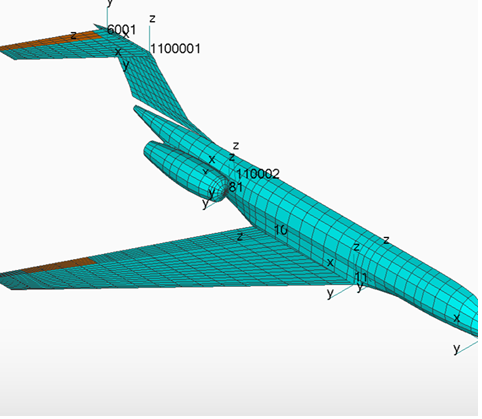
Femap now provides full API support for creating, editing, and querying Simcenter ZONA BODY7 aerodynamic body macroelements, enabling greater automation of aeroelastic model setup for fuselages, nacelles, and stores.
New capabilities include the following:
Single Sign-On (SSO) Login
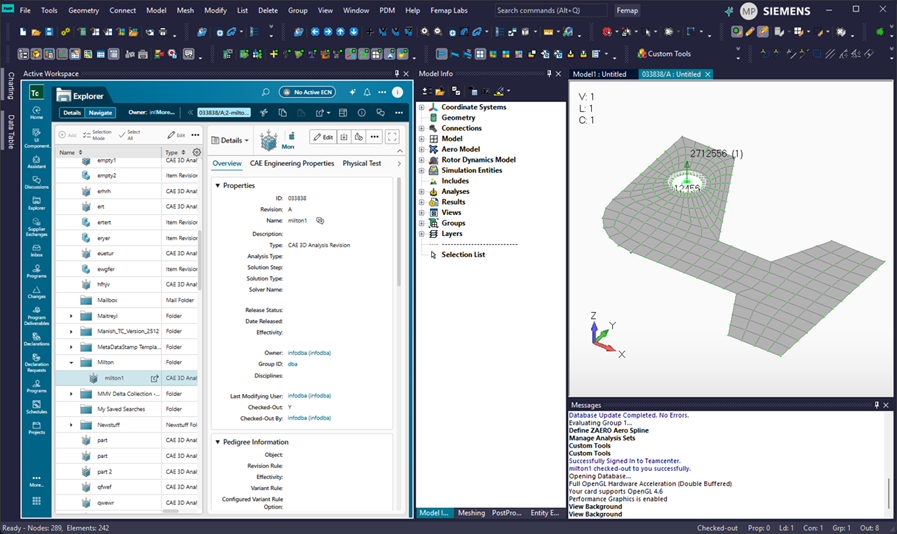
Femap now supports Single Sign-On (SSO) for Teamcenter, allowing users to log in with common credentials. When connecting to an SSO-enabled Teamcenter server, User ID, Password, Group, and Role fields are automatically disabled, and sign-in occurs seamlessly.
Active Workspace Integration
A new Active Workspace command embeds Teamcenter directly within a Femap view window, enabling users to perform both Femap and Teamcenter tasks in a single application. Active Workspace can be launched from Tools → Other Windows → Active Workspace.
Femap now supports the Altair Solid Meshing Library (ASML), introduced through the Siemens acquisition of Altair, to enhance tetrahedral mesh quality and meshing performance. Solids can now be meshed using the HyperMesh Tet Mesher, with thread control available through the new HyperMesh Tet Mesher Threads option in File → Preferences → Geometry and Model. When enabled, tetrahedral solid meshing uses ASML and the specified number of meshing threads.
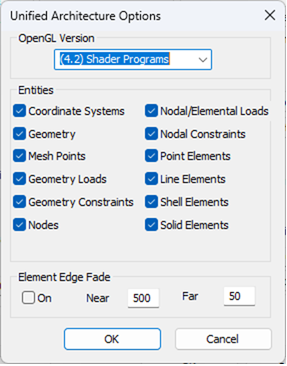
As part of the ongoing transition to Unified Architecture, Femap now includes support for Shell Elements within the Unified Architecture graphics framework.
Femap now supports Simcenter Nastran include files, enabling modular organization of analysis input decks through externally referenced model data files. Include files help simplify the management of large models by separating geometry, materials, properties, loads, boundary conditions, and other data into logical sections.
Key benefits include improved model organization, easier configuration management, collaborative model development, selective inclusion or exclusion of data, and enhanced readability and maintainability of Simcenter Nastran input files.
Femap introduces a new use OS-managed results cache option to improve results-processing performance for large models where result data exceeds available RAM. Available under File → Preferences → Results, this option can reduce processing times by up to 50% and significantly improve scalability for large datasets.
Key benefits include faster results processing, optimized memory management, reduced I/O overhead, improved access to high-volume result sets, up to 12× faster imported linear static results, accelerated composites per-ply output processing, and reduced wait times across general post-processing operations.
Femap is beginning its adoption of the Siemens Brand Hybrid Theme to align with the company’s global user experience standards for colors and visual themes. This release represents an M1 maturity level, marking the initial phase of a broader user interface modernization effort.
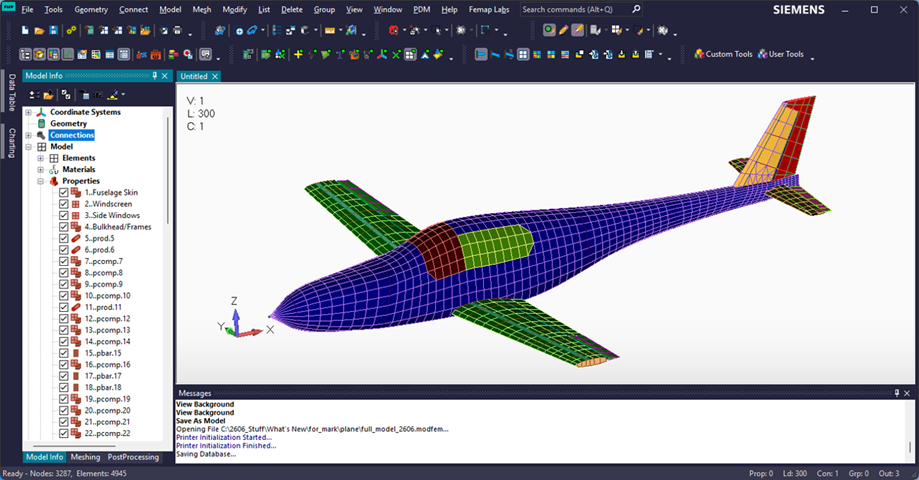
Femap Labs is a preview environment for upcoming features that are still under active development. While these features are considered stable for use, their functionality and workflows may evolve based on user feedback. Compatibility with future releases is intended but not guaranteed. New experimental capabilities introduced in version 2606 can be accessed through the Femap Labs menu.
Of course, this is only a selection of features from the latest update. Follow this link to the Siemens website for all the exciting new features that may also apply to your Simcenter Femap workflow.
We would gladly look together with you at which software suits the wishes and needs of you and your company. Through the form below you can contact us directly; we will get back to you as soon as possible for an appointment.
Do you need more information or want to discuss your project? Reach out to us anytime and we’ll happily answer your questions.
At Femto Engineering we help companies achieve their innovation ambitions with engineering consultancy, software, and R&D.
We are Siemens DISW Expert Partner for Simcenter Femap, Simcenter 3D, Simcenter Amesim, Simcenter STAR-CCM+, SDC verifier, Altair HyperWorks, Altair SimSolid and Altair PhysicsAI. Get in touch and let us make CAE work for you.
Sign up for our newsletter to get free resources, news and updates monthly in your inbox. Share in our expertise!