Comparative Data Analysis
From today onward you can compare multiple simulations directly in STAR CCM+. Using the comparative data analysis with mapped field functions and solution histories allows you to accumulate data of multiple simulations in a single simulation file. This will allow you to easily compare different solver and physics setups and perform an in-depth cause-and-effect analysis.
Studio Scene
With the new Deep Learning Super Sampling (DLSS) AI-enhanced visualization, you can now reach a very high frame rate for photorealistic scenes. Gone are the days when every change in your render would take tens of seconds to minutes to load. With this new feature you can now check your render in real-time.
Meshing Features
In this new version of STAR CCM+, you can now automatically create weak contacts within the operations menu with the unite, intersect, and subtract operations. This will remove the necessity of using the imprint option to create all contacts and will streamline your workflow.
Furthermore, you can now do the surface mesher in parallel! This will greatly speed up the surface meshing and thereby speed up the entire meshing pipeline.
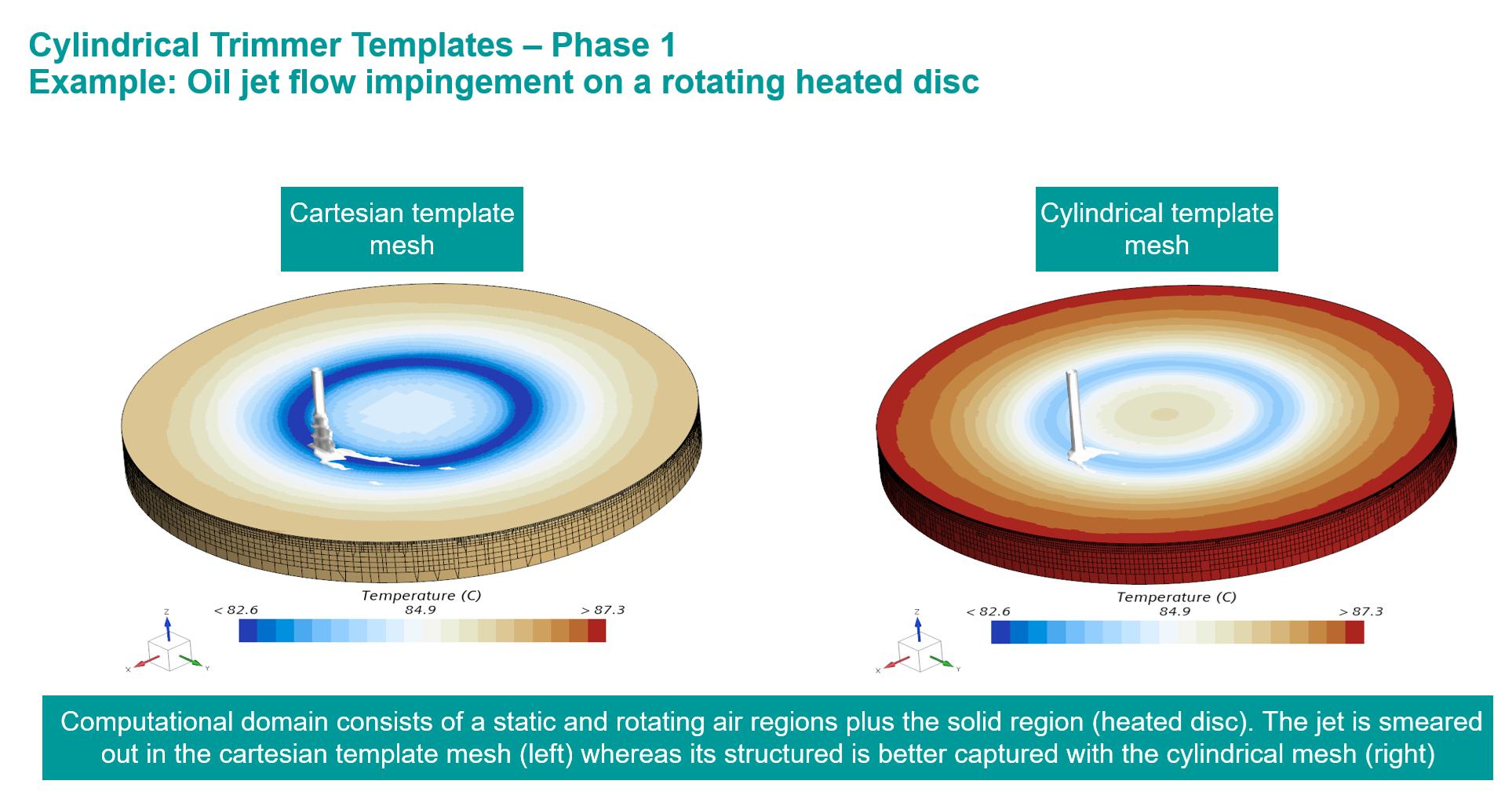
Finally, cylindrical templates are now supported for the trimmed cell mesher. This will allow you to build flow-aligned grids for cylindrical/annular geometries using the cylindrical template for the trimmed mesher. This template offers better convergence and smoother velocity gradients towards the wall, and it avoids stair-stepping behaviour.
Discover more
Of course, this is only a selection of features from the latest update. Follow this link to the Siemens article about all these exciting new features that may also apply to your Simcenter STAR-CCM+ workflow.